CJIS background check requirements for staff and vendors
Personnel security is the part of the CJIS Security Policy that most often slows down a vendor deal or produces an audit finding at a small agency. The rule itself is short: people with unescorted access to CJI are screened before they get it. The work is in the details, from vendor engineers in another state to custodians on a night shift and staff who change roles. This guide covers who needs a check, when, how vendors fit in and how to keep the records an auditor will ask for.
Key points
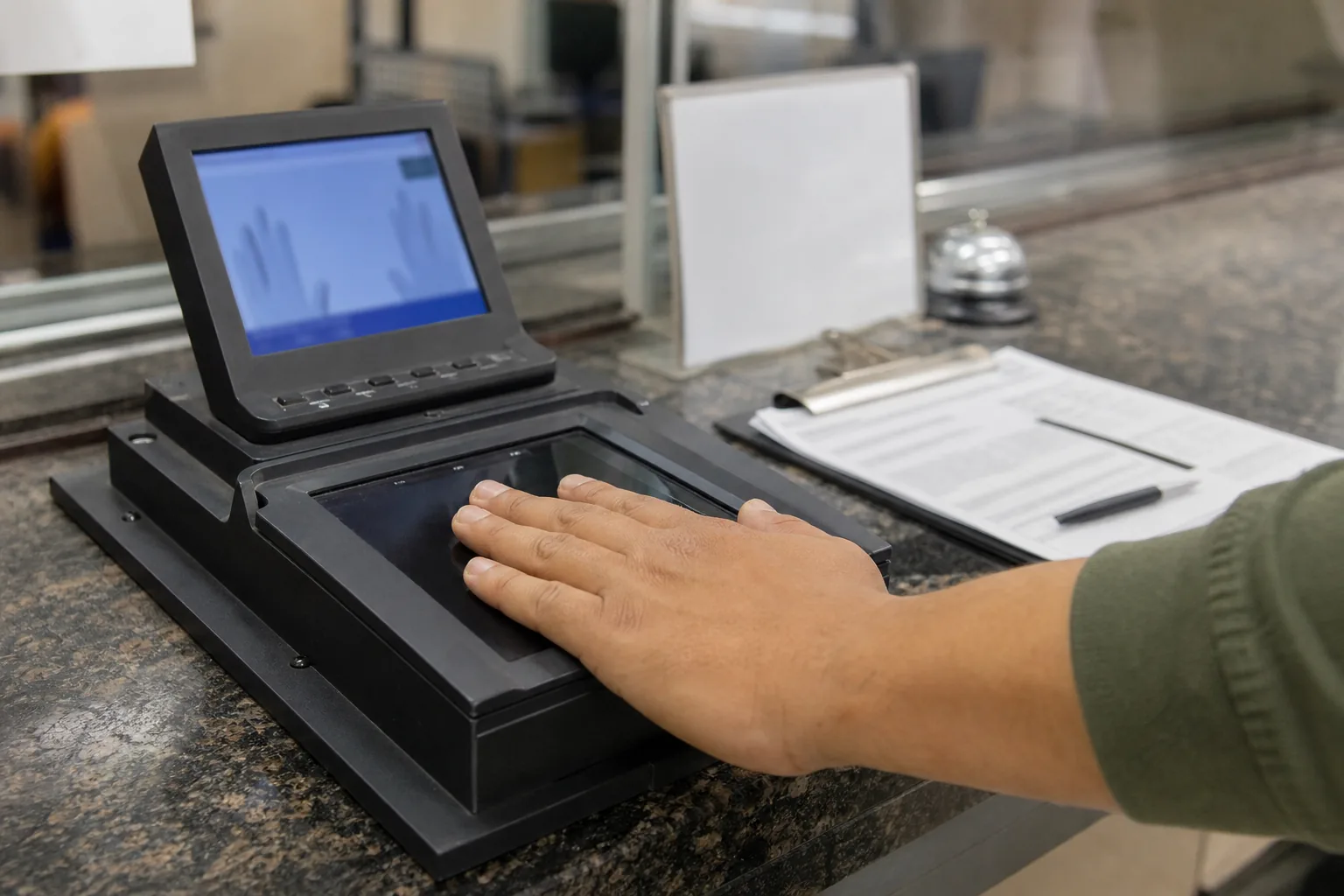
- Anyone with unescorted physical or logical access to unencrypted CJI needs a state and national fingerprint-based record check.
- The check happens before access is granted, not after.
- Vendor staff are screened too, and contractors also sign the CJIS Security Addendum certification page.
- Visitors without a check must be escorted at all times in physically secure locations.
- Role changes, transfers and terminations need prompt review and removal of access.
- Re-investigation rules and record retention vary by state, so confirm them with your CSA.
Who needs a fingerprint-based check
The policy ties screening to access, not to job titles. A person needs a state and national fingerprint-based record check if they have unescorted access to a physically secure location where CJI is stored or processed, or logical access to systems that hold unencrypted CJI. That usually includes:
- Sworn officers, dispatchers, records staff and analysts who use CJI systems.
- IT staff, system administrators and network engineers who manage those systems.
- Custodial, maintenance and facilities staff with unescorted access to secure areas.
- Contractors and vendor staff who build, host, support or maintain systems with CJI.
- Staff at managed service providers with administrative access to agency networks.
A name-based check alone is not enough. The policy requires fingerprints so the result ties to a real identity in state and national records.
When in doubt, start from access paths, not from the staff list. Walk through every way someone could reach CJI: badges to secure areas, accounts in CJI systems, administrator rights on servers and network gear, remote support tools and access to backups. Every person behind each path belongs on your screening list. This exercise often finds people nobody thought about, such as an outside firm that manages the building access system or a former vendor whose remote support account still works.
Screening before access is granted
The check must be complete and reviewed before the person gets unescorted access. In practice that means your onboarding has to wait for the result. Common problems:
- A new hire gets a system account on day one while fingerprints are still being processed.
- A vendor engineer is added to a support rotation before the agency has approved them.
- Temporary or seasonal staff are given badges without going through the same process.
If a person must start before the check is back, keep them out of secure areas and CJI systems, or escort them. Write down the decision, the dates and who approved it.
Who reviews the results
The results go to the agency or the CSA that requested the check, not to the employer as a pass or fail grade from the FBI. The agency, following state rules, decides whether the person can have access. If a record exists, the decision usually involves the CSA or a designated official. Policies on what kinds of records disqualify a person differ by state.
For vendors, this means the agency decides whether your staff can access its CJI. Your internal background check from a commercial provider does not replace the fingerprint-based check, although many vendors run both.
Agencies should document their decision for each person, with the date and the name of the official who approved access. If access is denied, keep the record of the decision as well, so the person is not given access later by mistake through a different request.
Vendor staff and the Security Addendum certification
Private contractors with access to CJI sign the CJIS Security Addendum with the agency, and each employee with access signs the certification page. Together with the fingerprint-based check and security awareness training, this is what most people mean when they talk about a person being cleared to work on a CJIS system.
For a vendor serving several agencies, the hard part is scale. Each agency, and sometimes each state, may require its own fingerprinting, its own approval and its own certification page for the same engineer. Some states have programs that let a vendor's staff be screened once for use across agencies in that state, others do not. Ask each agency, or the CSA, how it handles vendor screening.
Keep, for every vendor employee, a list of which agencies have approved them and when. Without that list, nobody can answer the question an agency will ask during an incident: who on the vendor side could see our data.
Vendors should also limit who needs access in the first place. Every engineer with production access to CJI is one more person to fingerprint, train and certify for each agency. Many vendors keep a small, named group for production support and give everyone else access only to environments without CJI.
Escorted visitors and contractors
People without a completed check can still enter a physically secure location if they are escorted by authorized personnel at all times. Typical cases are delivery staff, repair technicians, auditors and one-time visitors.
- Escorts must stay with the visitor for the whole visit.
- Keep a visitor log with name, date, time in and out, purpose and escort.
- Screens and paper with CJI should be out of view.
- Visitors should never use systems with CJI.
If a contractor visits regularly, for example for monthly maintenance, consider putting them through the full check instead of escorting every visit.
Decide in writing who is allowed to escort, and make sure escorts know they are responsible for what the visitor sees and does. A busy dispatcher on a call is not a good escort for a technician in the same room.
Role changes and transfers
When a person moves to a new role, their access should match the new duties. That can mean more access, which may need new training or a new review, or less access, which should be removed right away. A records clerk who becomes a system administrator needs higher level training before using the new access. An analyst who moves to a non CJI role should lose CJI accounts the same day.
Review access for every transfer, not only for new hires. Role changes are where old accounts quietly stay active.
Terminations and prompt access removal
When a person leaves, access to CJI and secure areas must be removed promptly. That covers accounts in every system, VPN and remote access, badges and keys, and any shared credentials they knew, which should then be changed.
- Agree on a checklist that HR, IT and the LASO all follow.
- Record the date and time each access was removed.
- For vendor staff, the vendor should tell each agency when an approved person leaves, and the agency should remove their access.
- Check after the fact that nothing was missed, for example with an account review.
A terminated employee with a working VPN account is one of the clearest findings an auditor can write.
Plan for unplanned departures too. When someone leaves without notice, or a vendor ends a contract early, the same checklist should run the same day. A quarterly account review that compares active accounts in every CJI system against the current personnel list catches anything the checklist missed, and the record of that review is useful evidence on its own.
Re-investigation and ongoing checks
The policy sets the baseline of a check before access. Rules on when and how often people are re-checked come from your state. Some states require periodic re-fingerprinting, some use rap back programs that notify the agency of new arrests, and some require a new check after a break in service. Ask your CSA what applies to your agency and to your vendors, and track it per person.
Records to keep
For each person with access, keep a record of:
- Name, role and type of access, physical, logical or both.
- Date fingerprints were taken and date the result was reviewed.
- Who approved access and the agency involved.
- For vendor staff, the signed Security Addendum certification page per agency.
- Security awareness training level and dates.
- Date access was granted, changed and removed.
Retention periods differ by state. Confirm them with your CSA rather than relying on a general rule.
Store these records where the LASO and the people who manage access can find them quickly, but keep the sensitive parts, such as criminal history results, only where state rules allow. The compliance record usually needs the dates and the decision, not the details of the result. Review the full list at least once a year against your actual account and badge lists, and fix any person who appears in one place but not the other.
Tracking personnel in Cjis
Cjis keeps a personnel register for everyone with unescorted or logical access to CJI. Each record holds the role, access level, fingerprint-based background check date and status, Security Addendum certification for vendor staff, training level and due date, and the dates access was granted and revoked. Reminders cover training expiry and re-investigations according to the rules you set for your state.
Vendors can record which agencies approved each person, and the agency report includes a personnel compliance table for each agency. Cjis never stores CJI and never stores fingerprint images or criminal history results. It holds dates, statuses and documents that contain no CJI. Cjis is an independent tool, not affiliated with the FBI or the CJIS Division, and not legal advice.
Check your personnel records now
Personnel gaps are easy to miss and easy to fix once every person is on one list. Learn what CJIS certification really involves, review the full CJIS compliance requirements, plan for the CJIS audit and see how CJIS compliance for vendors works in Cjis.